
Let Your Happiest Customers Sell the Food For You
Why Reviews?
Everything you need for reviews, built right in.
Automated Google Sync
We pull your best Google Business reviews automatically. No more copy-pasting to a disjointed marketing site.
Dish-Specific Social Proof
Pin a review saying "Best steak in the city" directly beneath your Ribeye on the menu page. Conversion rates skyrocket.
Trust Above the Fold
Displaying your 4.8 aggregate rating at the absolute top of the menu psychologically primes the guest to expect an incredible meal.
Curate the Trolls
Never let a fake 1-star review hit your live menu. Perfect moderation controls mean you only showcase the absolute best feedback.
How It Works
A closer look at how reviews powers your restaurant.
Sell at the Point of Decision
Most restaurants bury their testimonials on an "About Us" page nobody reads. We inject your 5-star reviews exactly where the customer is deciding to spend money: the menu itself.
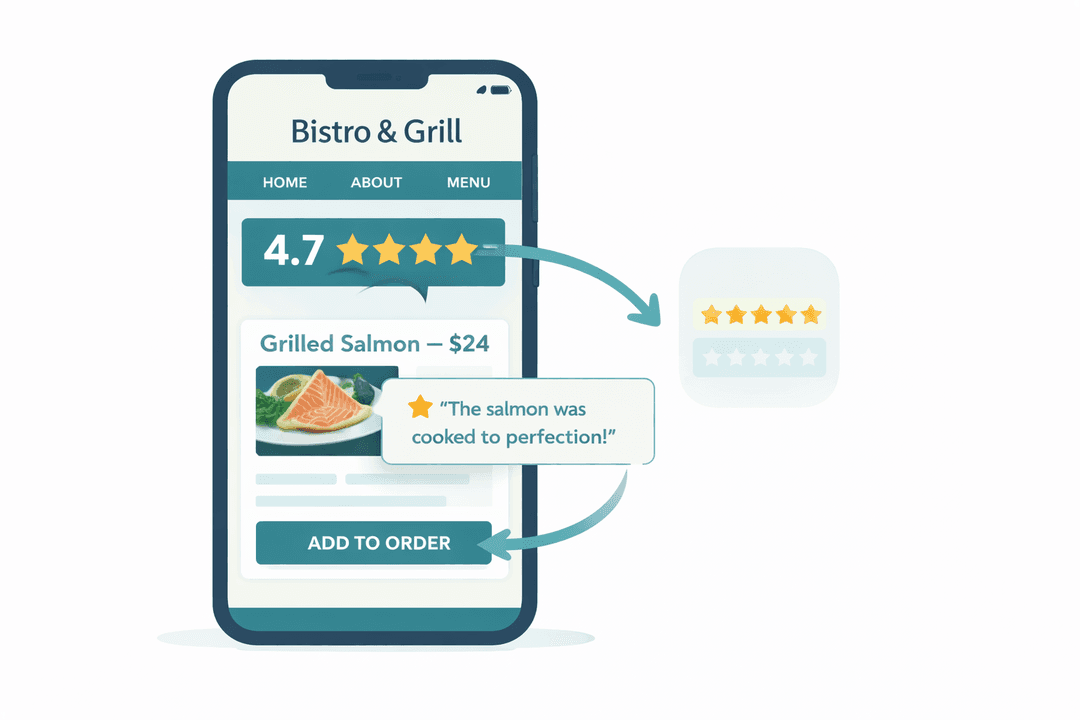
Drive High-Margin Sales
If you need to push a specific dessert or appetizer, pin a glowing testimonial directly above it. Social proof reduces ordering anxiety and increases the likelihood they click "Add to Tab".
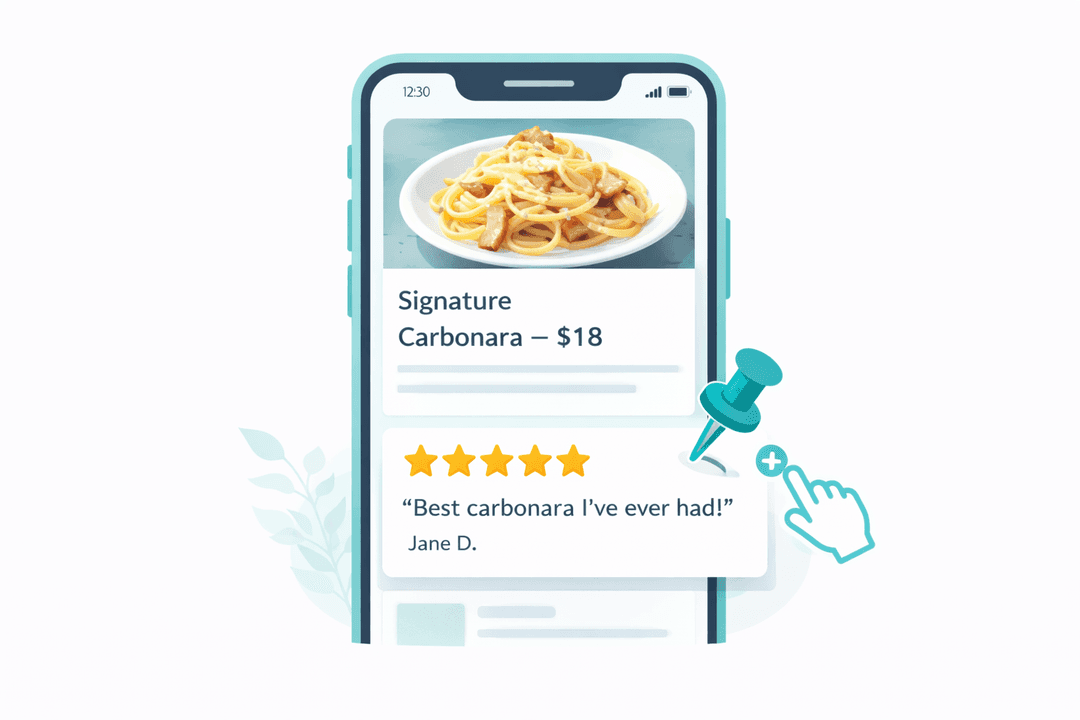
Own the Feedback Loop
Reply to Google reviews straight from your MenuClips dashboard. When guests see you actively managing front-of-house feedback, they know you care about the food quality.
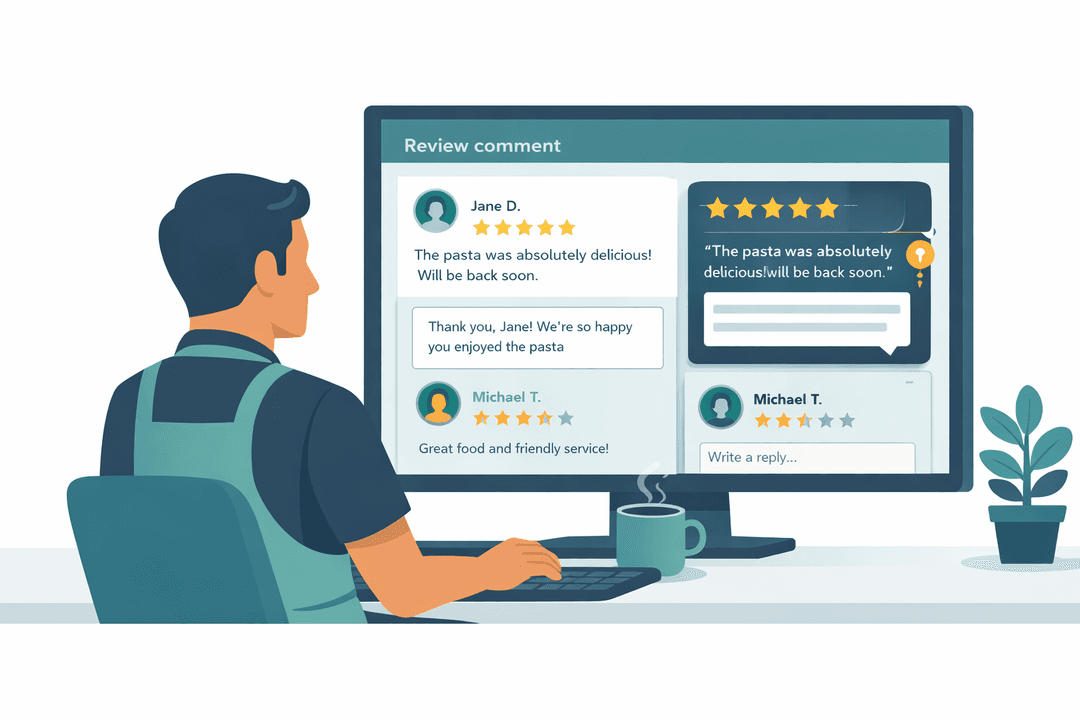
A Leading Indicator for Kitchen Chaos
If your aggregate rating drops for a week, you don't need to wait for sales to slump to know something is wrong. Catch the dip early and fix the kitchen operations.
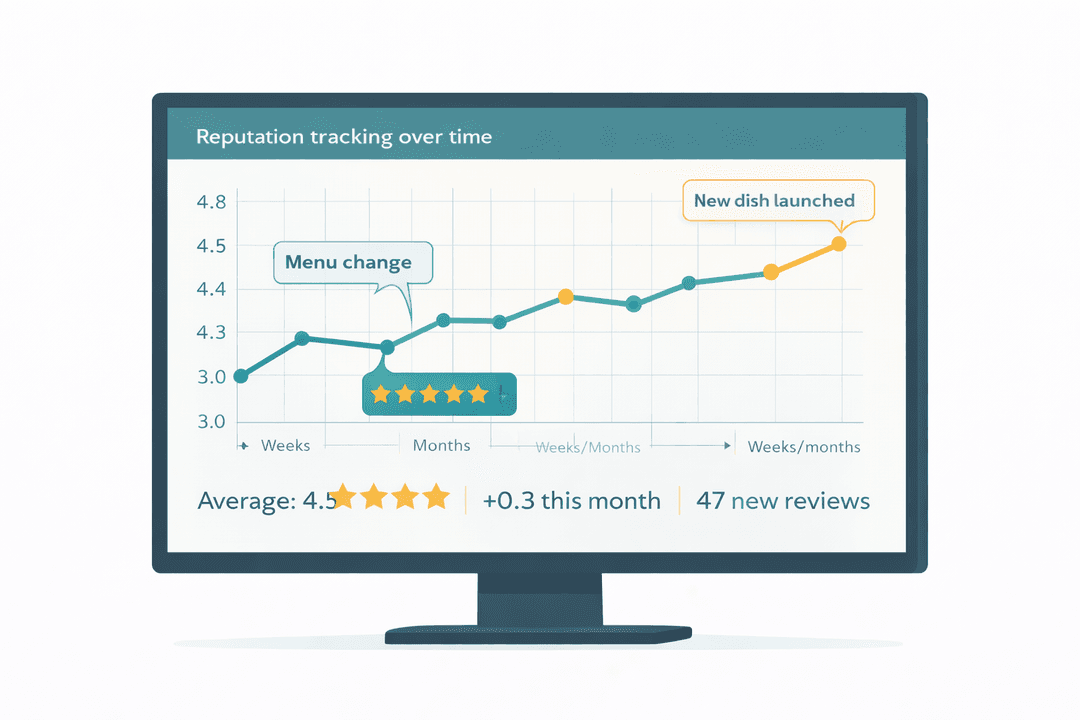
Get Started in Minutes
Setting up reviews is quick and easy.
Connect Google
Link your Google Business profile to sync reviews automatically.
Curate & Moderate
Approve reviews and pin your favorites to display prominently.
Display on Menu
Reviews appear on your menu page, building customer trust.
Monitor & Improve
Track ratings over time and respond to customer feedback.
Reviews FAQ
Common questions answered.
Yes. Connect your Google Business profile and reviews sync automatically. New reviews appear in your dashboard for moderation before being displayed on your menu.
Yes. Feature a glowing review about your signature dish right next to that item on the menu. Guests see social proof at the exact moment they are deciding what to order.
Yes. Reply to Google reviews directly from MenuClips without switching between platforms. Thank happy customers and address concerns professionally.
Reviews are moderated before appearing on your menu. You approve which reviews are displayed publicly. Negative reviews stay in your dashboard for internal tracking but do not have to appear on your menu page.
Related Features
Explore more tools that work great together.
Ready to Try Reviews?
Get started free today. No credit card required.
No credit card required · Free for 30 days · Cancel anytime