Introduction
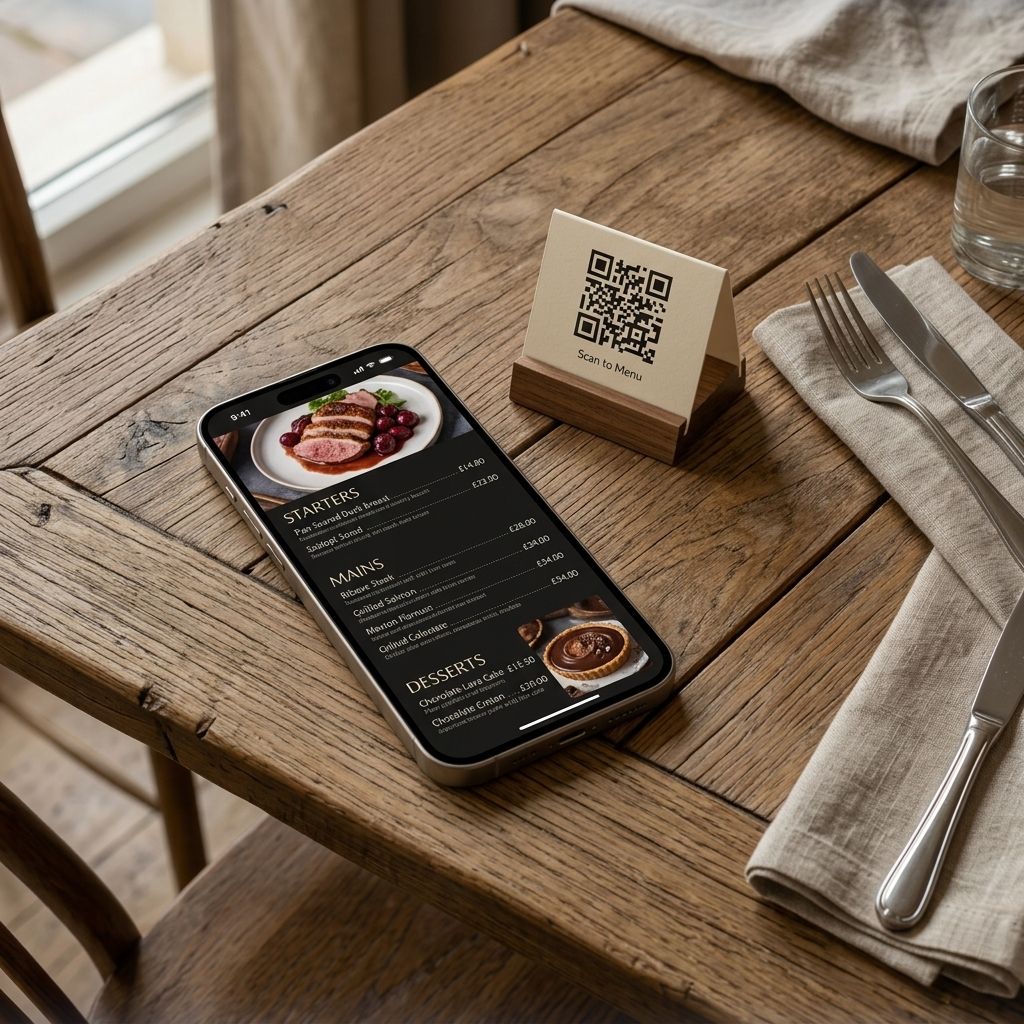
You have seen them everywhere — a small printed square on a restaurant table that customers scan with their phone to pull up the menu. QR code menus have gone from novelty to expectation in just a few years. Guests arrive at your tables *expecting* to scan something.
But here is the thing most restaurant owners do not realise: you do not need a developer, an app, or any technical knowledge to add a QR code menu to your restaurant. You can do it in under five minutes, for free, right now.
This guide walks you through exactly how.
Why Restaurant Owners Are Moving to QR Code Menus
Before the how, it is worth understanding the why — because a QR code menu is not just a hygiene upgrade, it is a revenue opportunity.
When a guest scans your QR code and lands on your digital menu, they see:
- Full-colour photos of every dish — not the blurry PDF you emailed someone three years ago
- Real-time availability — if you run out of the salmon, you toggle it off and it disappears instantly
- Allergen and dietary filters — so guests with restrictions are not holding up the whole table asking questions
- An AI assistant that can recommend dishes, explain ingredients, and upsell your highest-margin specials
A printed menu cannot do any of that. Neither can a basic PDF link.
What You Actually Need to Set This Up
Here is the full list of things you need:
1. Your menu (even just in your head or a notes app is fine)
2. A phone or laptop
3. A printer (to print the QR code afterwards)
That is it. No developer. No app store listing. No domain registration. No hosting plan.
Step-by-Step: How to Add a QR Code Menu in Minutes
Step 1: Sign Up and Import Your Menu
Create a free account on MenuClips. The setup wizard asks you for your restaurant name, cuisine type, and a few basic details. Then you either:
- Type in your menu items directly into the editor
- Import from a PDF — the system reads your existing menu and builds it digitally
- Start from a template — pick a layout that fits your style and fill it in
Most restaurants get their full menu into the system in under 20 minutes, even if they have 80+ items.
Step 2: Make It Look Like Your Brand
This is where most restaurant owners get a pleasant surprise. You are not stuck with a generic white-background template. You can:
- Upload your logo
- Set your brand colours (or pick from a curated palette)
- Choose typography that matches your physical menus
- Add your hero photo or a video of a signature dish
The result looks like something a professional designer built — not a QR code that dumps guests into a Google Doc.
Step 3: Generate Your QR Code
Once your menu is ready, MenuClips automatically generates a branded QR code linked directly to your digital menu. You can:
- Download it as a high-resolution PNG (print-ready)
- Add your logo in the centre
- Customise the colour so it matches your brand
Print it at home, at a local print shop, or order table tent cards. Place one on every table, at the host stand, in your takeaway bags, and on your window.
Step 4: Keep It Updated From Your Phone
The biggest advantage over a printed menu: when something changes, you update it in seconds from anywhere.
Running a special tonight? Add it in 30 seconds. Ran out of a dish mid-service? Toggle it off. Prices going up next month? Update once and every QR code in every location reflects it instantly — no reprinting, no waste, no apology cards on tables.
The AI Advantage: More Than Just a Menu
Here is what separates a MenuClips QR code menu from a basic digital menu or PDF link.
When guests scan your code, they do not just see a list — they can talk to your menu. The built-in AI Menu Assistant answers questions like:
- *"What is gluten-free on this menu?"*
- *"What would you recommend for someone who loves bold flavours?"*
- *"What pairs well with the lamb?"*
- *"Is the crème brûlée made in-house?"*
The assistant responds instantly, in the guest's own language, using the exact information you have entered about your dishes. No extra staff needed. No missed upsell.
Research consistently shows that guests who receive confident recommendations spend more. This is your best waiter — available at every table, simultaneously, around the clock.
Common Questions From Restaurant Owners
Do my customers need to download an app?
No. They scan the QR code with their phone's camera (no special app needed on Android or iPhone) and the menu opens instantly in their browser. Zero friction.
What if I change my menu seasonally?
Update it from your phone in minutes. No developer, no print run. The QR codes you already have printed still work — they always point to your latest menu.
Can I use my own domain instead of a menuclips.com link?
Yes. On Growth and Enterprise plans, you can host your menu at your own custom domain (e.g., `menu.yourrestaurant.com`). This builds your own search authority rather than ours.
What if a customer can't scan QR codes?
You can also share a direct link via WhatsApp, Instagram, or SMS. The menu is just a URL — it works for everyone.
Is this suitable for a multi-location restaurant?
Yes. From one dashboard you can manage separate menus for each location, each with its own QR code. Update a shared item (like a price) once and choose which locations it applies to.
What It Costs
| Plan | Price | AI Assistant | Locations |
|---|---|---|---|
| Starter | $5/mo | Not included | 1 |
| Growth | $49/mo | 1,000 conversations/mo | Up to 5 |
| Enterprise | $249/mo | 5,000/mo + metered | Unlimited |
All plans include a 30-day free trial — no credit card required to start.
Key Takeaways
Setting up a QR code menu for your restaurant does not require a developer, an app, or any technical expertise. Within minutes, you can have a beautifully branded digital menu that:
- Works on every customer's phone with no download
- Updates instantly when your menu changes
- Includes an AI assistant that recommends and upsells in any language
- Generates and manages its own QR codes automatically
The restaurants winning on digital presence right now are not the ones with the biggest websites — they are the ones that made it effortlessly easy for guests to see, discover, and love their food.