Introduction
You open a second location. Brilliant. Then a third. Even better.
And then one Tuesday afternoon you realise: Location 2 is still showing last month's prices. Location 3 never got the new dessert added. And you're not even sure what Location 1's menu looks like right now because someone on the team updated it and didn't tell you.
Welcome to the multi-location menu management nightmare. Every growing restaurant group knows it. And almost everyone is handling it worse than they need to.
Here's how to fix it — without spreadsheets, email chains, or surprise customer complaints about prices that changed two weeks ago.
The Problem With "Just WhatsApp It to the Manager"
Most restaurant groups with 2–5 locations are managing their menus informally. Someone at head office makes a change, WhatsApps the location managers, and hopes for the best.
This works until it doesn't. And it stops working faster than you'd expect.
- Prices get updated at 3 locations but missed at 1
- A dish gets pulled from the main menu but keeps appearing at a branch
- A new special gets added centrally but the branch manager forgot to update the QR tent cards
- You have no visibility into what's actually showing at each location right now
The cost of this isn't just operational chaos — it's guest experience. A customer who visits two of your locations expects the same menu, same prices, same brand. When they don't get it, trust erodes.
What Good Multi-Location Menu Management Actually Looks Like
Here's the version you're aiming for:
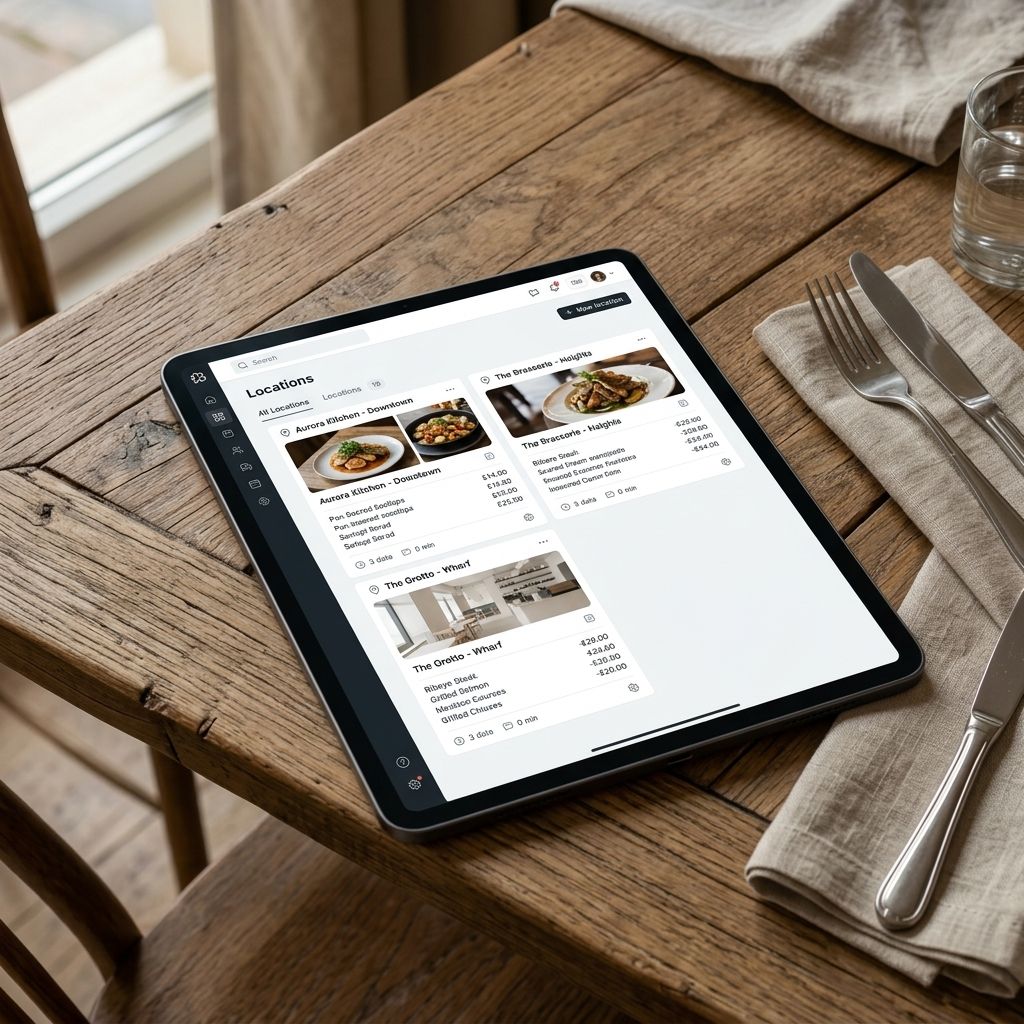
1. One dashboard. Every location's menu visible and editable from a single login.
2. Cascade updates. Update a shared item once, choose which locations to push it to. One action, instant effect everywhere.
3. Location overrides. Each location can have its own specials or pricing without breaking the shared base menu.
4. Real-time visibility. At any moment, see exactly what menu a customer at any location is looking at right now.
5. No reprinting. Every update is live the moment you save it.
This isn't a pipe dream. This is what a properly set-up digital menu platform gives you.
How to Set This Up in Practice
Step 1: Get All Locations on One Platform
If you're managing menus in a mix of PDFs, Google Docs, a website, and printed cards — consolidate. Move every location onto one digital menu platform.
With MenuClips, you manage all locations from a single dashboard. Each location gets its own branded menu and QR codes, but you control them all from one place. Setup for each location typically takes 20–30 minutes.
Step 2: Build Your Master Menu
Create a "master" version of your core menu — the items, prices, and descriptions consistent across all locations. This is your source of truth.
Master menu (same everywhere): Core dishes, descriptions, photos, dietary tags, standard pricing.
Location-specific: Local specials, location-specific pricing, limited items only available at certain sites.
Step 3: Set Up Location-Specific Variations
Layer in variations once your master menu is in place: higher price points for flagship locations, daily specials for specific sites, items only available where the kitchen can make them.
Step 4: Establish a Clear Update Protocol
- Price changes: Head office only, pushed centrally
- New dishes: Approved centrally, then enabled per location
- Daily specials: Location managers can add/remove within approved categories
- 86ing an item mid-service: Any manager can toggle this instantly
Put this in writing. It takes 10 minutes and saves hundreds of hours.
Step 5: Do a 10-Minute Weekly Dashboard Check
Scan each location's menu, confirm everything looks right. With a centralised platform, this is fast. Without one, it's essentially impossible.
The Allergen and Food Labelling Dimension
If you operate in the UK, EU, or any jurisdiction with strict allergen requirements, multi-location management has a compliance dimension too.
Every location must display accurate allergen information for every dish. When a recipe changes — even slightly — the allergen data needs to update immediately at every location.
A centralised digital menu makes this dramatically safer. Update once, push to all locations, done. No risk of a branch showing old allergen data because a manager missed an email.
The AI Dimension: Consistent Guest Experience at Scale
Here's something most restaurant groups don't think about until they're already growing: AI-powered consistency.
At one location, training staff to know the menu inside out is manageable. At 4 locations with 40 staff members, ensuring every person knows every allergen, pairing suggestion, and recommendation answer is a real operational challenge.
An AI menu assistant solves this at scale. Guests at every location can ask the same questions and get the same accurate, on-brand answers — whether at your flagship or your newest branch. No guessing, no inconsistency.
Frequently Asked Questions
Can I have different prices at different locations?
Yes. Set a base price in your master menu and override it per location. City centre pricing, suburban pricing — fully configurable.
What if a manager makes a change I didn't approve?
Set permission levels. Location managers should be able to toggle item availability but not change prices or add dishes without head office approval. MenuClips supports role-based access.
How do I handle a dish only available at one location?
Add it as a location-specific item. It appears only at the assigned location and doesn't affect other sites' menus.
We have 8 locations. Is this still manageable?
Absolutely. The centralised model scales well. 8 locations in one dashboard is far easier than 8 separate systems. MenuClips Enterprise supports unlimited locations.
How do I train location managers?
Most digital menu platforms are built for non-technical people. A 20-minute walkthrough video is usually enough. MenuClips is built for restaurant owners and managers — not IT teams.
The Bottom Line
Managing menus across multiple restaurant locations feels manageable at 2 sites and quietly chaotic by site 4.
The fix: one platform, a master menu, clear permission levels, and instant cascade updates. A few hours of setup. Months of operational calm — and a consistent guest experience your brand deserves.