Introduction
A customer messages your restaurant on WhatsApp: *"Can you send me the menu?"*
If your answer is to photograph a printed menu with your phone and send a blurry JPEG — or paste in a Google Drive PDF link that takes 20 seconds to load — you are losing customers at the very moment they are ready to engage.
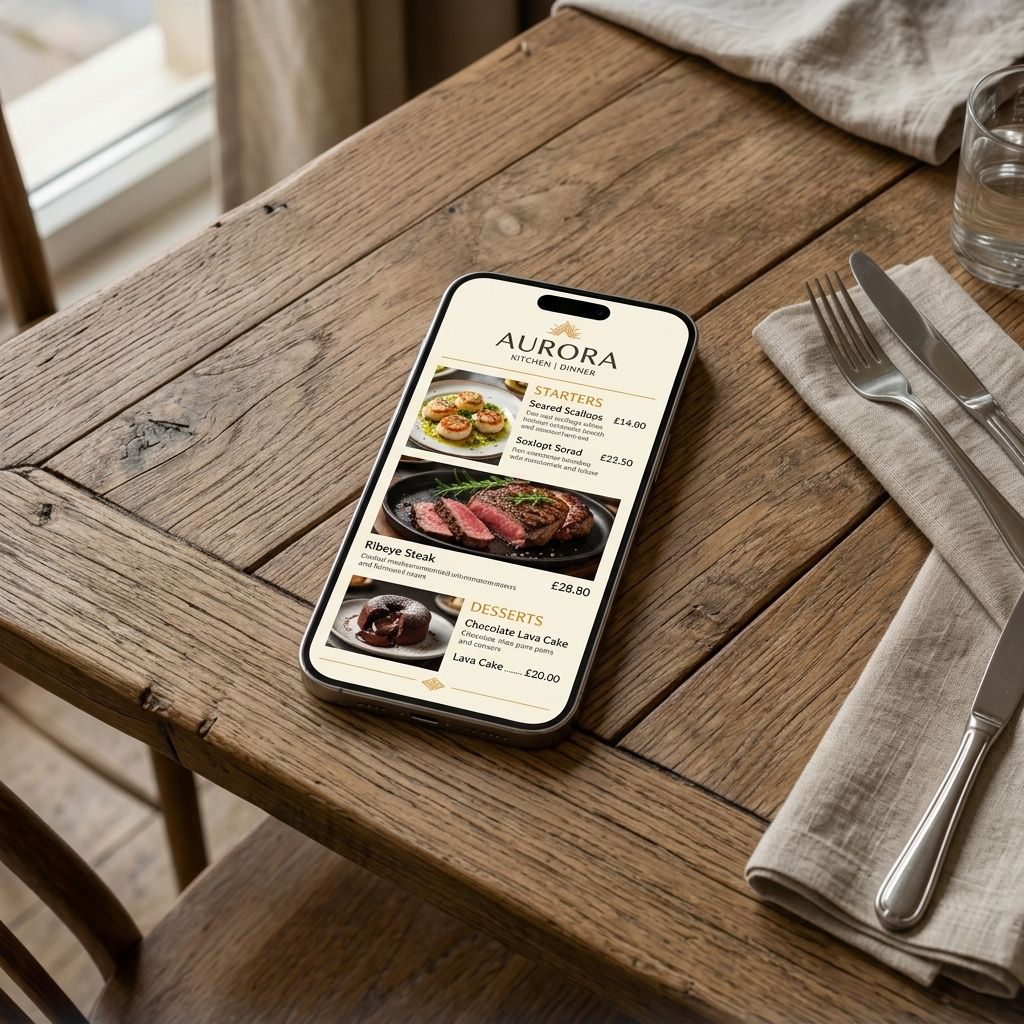
In 2026, the answer should be a single, clean link. One tap. Their phone. Your full, beautiful, branded menu.
Here is how to get that set up today — without a website, without a developer, and without spending more than 20 minutes.
Why a Shareable Menu Link Matters More Than You Think
Your restaurant gets discovered in places that have nothing to do with your physical front door:
- A friend shares your Instagram story
- Someone sees your Google Business Profile listing
- A local food blogger links to your menu
- A customer messages asking for the menu before booking
- You reply to a WhatsApp enquiry
In every single one of these moments, you have a choice: send something that impresses, or send something that makes people question whether you are still open.
A professionally designed digital menu — hosted at a clean URL like `menu.yourrestaurant.com` — does the former every single time.
What You Need to Make This Work
You do not need:
- A website
- A developer
- A graphic designer
- A social media manager
You need:
1. Your menu content (even scribbled notes are fine as a starting point)
2. Your logo (a phone photo of it will do for now)
3. 20 minutes
Step 1: Build Your Digital Menu
Sign up for MenuClips and create your digital menu. The process is straightforward:
Import your existing menu: If you have a PDF, a photo of your printed menu, or even a list in Notes — MenuClips can use it as a starting point. Add your items, prices, and a one-line description for each dish.
Add photos: Even one good photo per section dramatically increases the appeal. Use your phone in natural light. Perfect photography is not required — real, honest food photos outperform stock images consistently.
Brand it: Upload your logo. Set your colours. Choose fonts that match your restaurant's personality. The menu should feel like yours — not like software.
Step 2: Get Your Shareable Link
Once your menu is ready, MenuClips gives you two things:
1. A direct URL — something like `yourrestaurant.menuclips.com` (or your own custom domain on Growth/Enterprise plans)
2. A QR code — for in-person sharing (tables, windows, packaging)
The URL is what you use everywhere digital. It is mobile-optimised, loads in under two seconds, and requires no app download from the person clicking it.
Step 3: Share It Everywhere
On WhatsApp
For individual enquiries: When a customer asks for the menu, send the link directly. Better still, save it to your clipboard so you can paste it in one second.
For WhatsApp Business: Add your menu URL to your WhatsApp Business profile under "Website." Also set it as an auto-reply: *"Thanks for getting in touch! Browse our full menu here: [link]"* — so even when you are in service and cannot respond, the customer gets what they came for.
For WhatsApp groups: If you have a regulars group or a community group where your restaurant is mentioned, share the link proactively when someone asks where to eat.
On Instagram
Link in bio: This is the most powerful placement. Use your menu URL (or a link-in-bio tool if you already have one) so that *every* Instagram visitor can access your menu in one tap. Update your bio to say something like: *"Our full menu 👇"* with the link.
Stories: Share your menu link in Stories with the link sticker. Works especially well when you launch a new dish or seasonal special — show a photo, add the menu link, done.
DMs: When someone DMs asking what you serve, paste your menu link. No more typing out dishes or photographing your printed menu at an angle.
Reels and posts: Mention the link in captions: *"Full menu and specials at the link in our bio."*
On Google Business Profile
This is the one most restaurants miss. Your Google Business Profile has a dedicated "Menu" section — and Google displays it prominently in local search results. Add your digital menu URL there.
When someone searches *"Italian restaurants near me"* and sees your listing, they can often preview your menu without even clicking through. That visibility converts curious searchers into bookings. See our guide on how to add your menu to Google Business Profile for the exact steps.
On Facebook
Add your menu link to your Facebook Page's website field and your About section. Facebook also has a dedicated "Menu" tab for restaurant pages — paste your MenuClips URL there.
In Your Email Signature
If you send booking confirmations, catering enquiries, or supplier emails — your menu link in your email signature is free advertising every time you hit send.
The AI Difference
Here is what makes a MenuClips-powered menu link different from a PDF or a static image.
When guests click your link, they do not just see a list of dishes — they can interact with it. The built-in AI Menu Assistant lets them ask:
- *"What is vegan on this menu?"*
- *"What do you recommend for a birthday dinner?"*
- *"Is the pasta made fresh?"*
- *"What would go well with the ribeye?"*
The AI answers instantly, in their language, using the exact information you have added about your dishes. It recommends, upsells, and engages — so by the time they arrive or place a catering enquiry, they already know what they want.
That kind of interaction is what turns a menu link into a revenue tool.
Frequently Asked Questions
Do customers need to download an app to view the menu?
No. The menu opens directly in any web browser — on iPhone, Android, or desktop. No app, no account, no friction.
Can I put my own domain name on the menu link?
Yes. On Growth and Enterprise plans you can use a custom domain like `menu.yourrestaurant.com`. This looks more professional and builds your own search authority.
Can the menu link handle high traffic (e.g. if a post goes viral)?
Yes. MenuClips is cloud-hosted and scales automatically. Your menu will load fast regardless of how many people click simultaneously.
How do I update the menu after I have shared the link?
Update your menu in the dashboard — the link stays the same. Anyone who clicks it after you save sees the updated version instantly.
Can I track how many people click the link?
Yes. Your MenuClips analytics dashboard shows menu views, most-viewed items, AI conversations, and more. You can see exactly which dishes guests engage with most.
Key Takeaways
You do not need a website to share a professional, branded restaurant menu on WhatsApp, Instagram, or any other platform. With a digital menu platform:
- You get a single shareable link that works everywhere
- Guests can browse, filter, and get AI recommendations — no app required
- Updates you make are reflected instantly, everywhere you have shared the link
- Your menu becomes a marketing asset, not just a list of dishes
The next time someone asks *"Can you send me the menu?"* — the answer is one tap away.