Introduction
You want guests to be able to pull up your restaurant's menu on their phone, see beautiful photos of every dish, ask questions, and find exactly what they want — fast.
That sounds like an app. So you Google "restaurant menu app" and immediately hit a wall: app development quotes starting at $10,000, 3-month timelines, App Store approvals, update fees, the works.
Here's the thing nobody tells you upfront: you don't need to build an app.
What your guests actually want — a fast, beautiful, interactive menu on their phone — can be delivered through a smart web experience that works better than most apps, costs a fraction of the price, and can be live before the end of today.
Let's walk through exactly how.
Why a "Restaurant Menu App" Is Usually the Wrong Solution
Before diving in, it's worth understanding why native apps (the kind you download from the App Store or Google Play) are almost never the right answer for restaurant menus.
Problem 1: Nobody wants to download your app. Research consistently shows that customers won't download an app for a one-time or infrequent experience. They'll scan a QR code or click a link. They won't install software for it.
Problem 2: Apps are expensive to build and maintain. A decent restaurant menu app costs $5,000–30,000 to develop, requires ongoing maintenance, and needs separate versions for iOS and Android. That's before you factor in the time to submit updates for App Store review.
Problem 3: You can't update them instantly. Change a price or add a daily special? With a native app, you push an update, wait for review approval, and hope guests have updated their app. With a web-based digital menu, you change it and it's live in seconds.
The alternative: A mobile-first web app that behaves like an app, loads like an app, and looks like an app — but runs in any phone's browser with no download required.
This is what a great digital menu platform gives you.
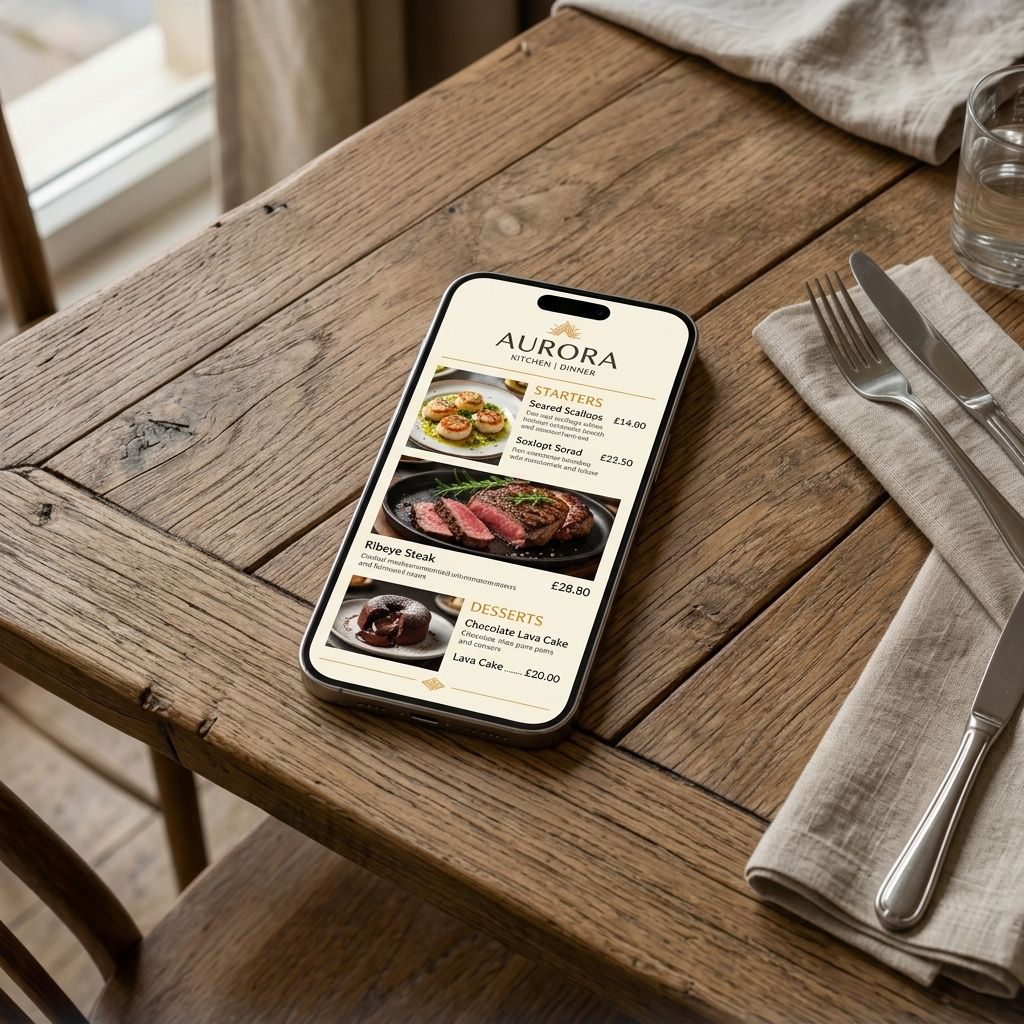
What Your Guests Actually Experience
Here's what happens when a guest at your restaurant scans your QR code or clicks your menu link:
1. Their browser opens instantly — no loading screen, no download prompt
2. They see your branded menu: your logo, your colours, your photos
3. They can browse by category, search for a specific dish, or filter by dietary need (vegetarian, gluten-free, etc.)
4. If they have a question — *"What's in the lamb tagine?"* or *"What's the best thing on the menu for someone who doesn't eat seafood?"* — they can ask the AI assistant and get an instant, accurate answer
5. When they're ready to order, they flag their server. Simple.
That entire experience happens in a browser. No app. No download. No friction.
How to Build This (In About 20 Minutes)
You don't need a developer. You don't need to know what HTML stands for. Here's the actual process:
Step 1: Sign Up and Name Your Menu
Create your MenuClips account. Enter your restaurant name and basic details. The system generates your unique menu URL instantly — something like `yourrestaurant.menuclips.com`. (On Growth and Enterprise plans, you can use your own custom domain instead.)
Step 2: Choose a Template That Fits Your Vibe
MenuClips comes with professionally designed templates built for different restaurant styles — fine dining, casual café, fast-casual, pizza, Asian cuisine, and more. Pick the one closest to your aesthetic. You'll customise it in the next step.
Step 3: Upload Your Brand
Add your logo. Set your brand colours (there's a colour picker — no hex codes required unless you want that level of control). Choose your fonts. Upload a hero image or a photo of your signature dish.
In 10 minutes, your menu already looks like it was designed by a professional.
Step 4: Add Your Menu Items
Type your dishes in, or import from an existing PDF. For each item you can add:
- Name and price
- Description (this is worth spending time on — good descriptions sell)
- Photo
- Dietary tags (vegetarian, vegan, gluten-free, contains nuts, etc.)
- Category
Don't try to be perfect on day one. Get your core menu in, then add photos and descriptions over the following week.
Step 5: Generate Your QR Code
MenuClips automatically creates a branded QR code for your menu. Download it as a high-resolution PNG and print it on table tent cards, stickers, packaging, or any promotional material.
Step 6: Share the Link Everywhere Else
Your menu URL also works as a direct link — share it on Instagram bio, WhatsApp Business, Google Business Profile, Facebook, email signatures, and your website.
The Part That Makes This Better Than an App
AI-powered recommendations. The built-in AI menu assistant (available on Growth and Enterprise plans) answers guest questions in real time, in any language. Ask it anything — allergens, ingredients, pairings, chef recommendations — and it responds using your actual menu data.
Real-time updates. Ran out of the sea bass at 8pm? Toggle it off in 10 seconds. It disappears from the menu immediately. No app update required.
Works on every phone. No compatibility issues, no iOS vs Android differences. If the phone has a browser — it works.
Analytics without an app store. See which dishes guests view most, how long they browse, and how much revenue the AI has influenced.
What It Costs (vs. What an App Would Cost)
| | Native App | MenuClips |
|---|---|---|
| Build cost | $5,000–$30,000 | $0 (sign up free) |
| Monthly cost | $0–$500 (maintenance) | $5–$49/mo |
| Time to launch | 3–6 months | Today |
| App Store approval | Yes | No |
| Works on all phones | Needs iOS + Android builds | Yes, any browser |
| Real-time updates | Requires review | Instant |
| AI menu assistant | Build from scratch ($$$) | Included (Growth+) |
| Guest download required | Yes | No |
Frequently Asked Questions
Can guests save my menu to their home screen like an app?
Yes. MenuClips menus can be added to a home screen with one tap — it looks like an app icon, but no App Store download is required.
Do I need a website to use this?
No. Your MenuClips menu is completely standalone with its own URL. Many restaurants using MenuClips have no website at all.
Can I have separate menus for breakfast, lunch, and dinner?
Yes. Create multiple menus and either publish them simultaneously with tabs or schedule them to switch automatically at set times.
What if my restaurant has limited WiFi for guests?
MenuClips menus are highly optimised for mobile networks. On Growth and Enterprise plans, menus can also cache key content for offline browsing.
What happens when the AI assistant doesn't know the answer?
The AI only answers based on your actual menu data. If something isn't in there, it says so honestly and suggests the guest ask their server. No guessing.
The Takeaway
You don't need to build a restaurant menu app. You need a mobile-first digital menu experience that works on every guest's phone, updates in real time, looks incredible, and can answer questions in any language.
That's not an app problem. That's solved.